Three levels of agent interaction (and why most tools only test the first)
When someone tells you their website is "agent-ready," ask them one question: ready for which agent, doing what?
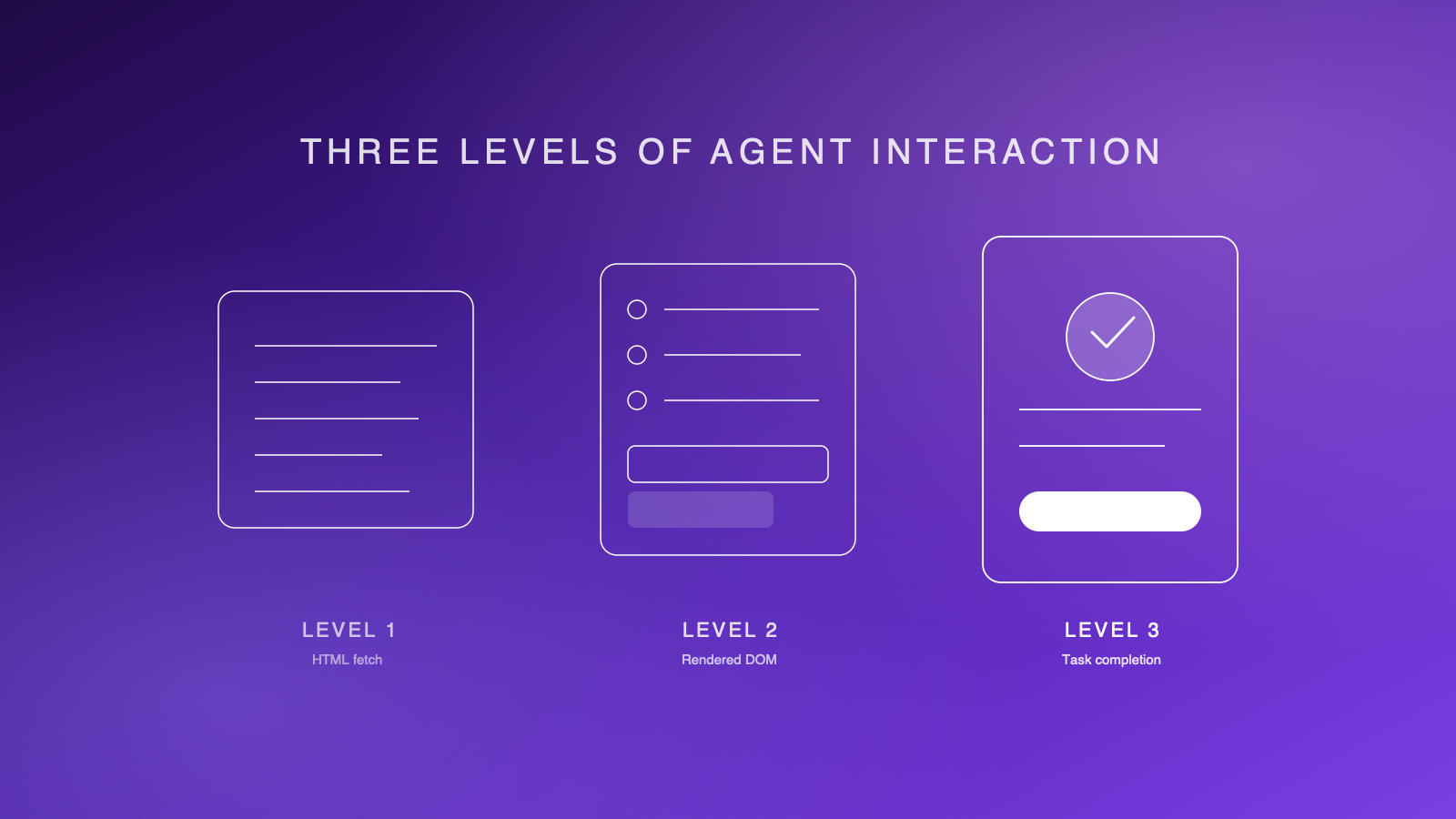
Because an AI crawler fetching your HTML to answer a question in ChatGPT, a browser-based agent navigating your DOM to find a product, and an autonomous agent completing a purchase end-to-end are three fundamentally different interactions. They test different things, break at different points, and require different solutions.
Most of the tools emerging in this space — and there are many — only test the first type. That's a problem, because it's the third type that determines whether your site actually works when a customer delegates a task to their AI assistant.
Here's how we think about it at IndexLabs.
Level 1: Raw HTML fetch
This is the simplest interaction. An agent — or more accurately, a crawler — fetches your page's HTML source and extracts information from it. No browser. No JavaScript execution. No visual rendering. Just the raw response from your server.
This is how most AI systems gather training data and how RAG (Retrieval-Augmented Generation) pipelines pull live information from the web. OpenAI's GPTBot crawls pages this way to collect data for model training. When Perplexity answers a question by citing your website, it's largely working from fetched and indexed HTML. Tools like Firecrawl and Crawl4AI exist specifically to turn websites into clean, LLM-ready markdown through this approach.
The llms.txt convention — a structured file that provides AI-friendly context about your site — lives at this level. So does robots.txt, structured data markup, Schema.org annotations, and meta tags. These are signals designed to help machines understand your content without rendering it.
What Level 1 testing checks: Does your server return meaningful HTML? Is your content in the response HTML or hidden behind JavaScript? Do you have structured data? Are AI crawlers blocked or allowed? Is there an llms.txt file?
Who operates here: GPTBot, ClaudeBot, PerplexityBot, RAG pipelines, knowledge graph builders, and every "AI readiness checker" that appeared in the last six months — including tools from Cloudflare, WordLift, BettrROI, and others.
What it misses: Everything that requires actually rendering the page. If your site is a React SPA that serves an empty <div id="root"> in the initial HTML, Level 1 tools see nothing. Your content might as well not exist.
Level 2: Rendered DOM and accessibility tree
This is what browser-based agents actually see. A headless browser (typically Playwright or Puppeteer) loads your page, executes JavaScript, waits for dynamic content to render, and then extracts the full DOM and accessibility tree.
The accessibility tree is the critical structure here. It's a simplified representation of your page that strips away visual styling and exposes the semantic structure — headings, buttons, links, form fields, ARIA labels, roles, and states. It's what screen readers use. And it's increasingly what AI agents use too.
Vision-based agents like Claude computer use and the model behind ChatGPT's agent mode take screenshots of your page, but they also read the accessibility tree to understand what elements are interactive and what actions are available. Google's Chrome Auto Browse has native access to the browser's rendering engine and accessibility APIs. When these agents look at your site, they don't see your carefully designed hero section — they see a hierarchical tree of interactive nodes.
What Level 2 testing reveals: Does your content actually render in a browser, or does JavaScript execution fail silently? Are interactive elements properly labelled in the accessibility tree? Can an agent distinguish your navigation from your content? Do dynamic menus, modals, and overlays expose their state to assistive technology? Are form fields associated with visible labels?
Who operates here: Claude computer use (via accessibility tree + screenshots), ChatGPT agent mode (via CUA screenshots + DOM), Google Auto Browse, Playwright-based testing frameworks, and any agent that spawns a real browser session.
What it misses: Whether an agent can actually do anything useful. Level 2 tells you the page is structurally sound. It doesn't tell you whether an agent can navigate from your homepage to checkout and complete a purchase. Structure is necessary but not sufficient.
Level 3: Real agent task completion
This is where it gets real. Level 3 sends an actual AI agent — not a test script, not a crawler — to your website with a specific task and measures whether it succeeds.
The task might be: "Find the cheapest flight from Sydney to Tokyo on these dates." Or: "Add a medium blue t-shirt to the cart and proceed to checkout." Or: "Sign up for a free trial using this email address." The kind of task your real customers will delegate to their AI assistants.
ChatGPT's agent mode already handles tasks like this. OpenAI launched it initially as Operator, partnering with DoorDash, Instacart, OpenTable, Priceline, and others. It uses the Computer-Using Agent model — taking screenshots of web pages and interacting through virtual mouse and keyboard actions. It fills forms, clicks buttons, scrolls, and navigates multi-step workflows. OpenAI reported an 87% success rate on WebVoyager (a benchmark for live website navigation) and 58% on WebArena (which simulates real e-commerce and content management scenarios).
But here's the thing those benchmarks don't capture: different agents fail differently on the same site.
ChatGPT's agent mode sees the web through screenshots and interacts via virtual mouse clicks. Claude computer use reads the accessibility tree and acts through programmatic browser control. Google's Auto Browse has deep integration with Chrome's rendering pipeline. Perplexity's Comet navigates through a headless browser with its own interaction model.
A checkout flow that works perfectly for ChatGPT's vision-based approach might break for Claude if the form fields lack proper ARIA labels. A navigation menu that Claude traverses easily through the accessibility tree might confuse ChatGPT's screenshot-based agent if the visual design is ambiguous. Same site, different agents, different results.
This is why single-agent testing gives you a data point but not a picture. What you need is a compatibility matrix: multiple agents, multiple tasks, same site. That matrix reveals which failures are structural (broken for everyone) and which are agent-specific (broken for one model's interaction pattern).
What Level 3 testing reveals: Can agents actually complete the tasks your customers care about? Which agents succeed and which fail? Where exactly in the workflow does failure occur? Is the failure structural (bad HTML, inaccessible forms) or behavioural (the agent misinterprets a visual cue)?
Who operates here: ChatGPT agent mode, Claude computer use, Google Auto Browse, Perplexity Comet. These are the agents your customers are using right now.
What it requires: Running real agents against real production sites, recording what happens, and diagnosing why failures occur. This is expensive, slow, and hard to automate — which is why almost nobody does it.
Why the levels matter together
The levels aren't competing approaches. They're a diagnostic stack.
When a Level 3 test fails — an agent can't complete a purchase on your site — you need Levels 1 and 2 to understand why. Was it because the product page content isn't in the server-rendered HTML (Level 1)? Because the "Add to Cart" button isn't exposed in the accessibility tree (Level 2)? Or because the checkout flow requires a multi-step interaction that the agent's reasoning model can't navigate (Level 3)?
The failure at Level 3 is the headline. The diagnosis at Levels 1 and 2 is the fix list.
This is how IndexLabs structures its AX audit. Level 3 task completion is the metric that matters — it's the number that tells you whether agents can actually use your site. Levels 1 and 2 are the diagnostic layers that explain the score and prioritise what to fix.
Most tools in the market today give you a Level 1 checklist. A few render the page and check Level 2 signals. Almost nobody sends real agents to complete real tasks and tells you what happened.
That gap is where the real insights live — and it's closing fast, because your customers' agents aren't going to wait.
IndexLabs tests websites at all three levels. The AX Index ranks 30 leading sites by how well they work for real AI agents. Run a free audit on your site →